Showing posts with label port. Show all posts

Wednesday, 16 September 2020

Monitor the EC2 instance RAM, cpu with port no. 4567 in browser

 enable 4567 port in in-bound security group settings.


CPU monitoring:


RAM monitoring:                                                                                                                                             
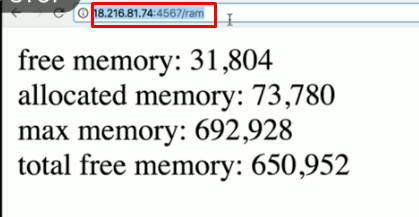


To check whether the EC2 instance is healthy or not:                                                                               


To get EC2 private ip deatils:                                                                                                                       


Thursday, 9 May 2019

SAP HANA COCKPIT NOTES 6: Specifying the port for SAP HANA Cockpit before installation

The installation of SAP HANA Cockpit assigns free ports to SAP HANA Cockpit and SAP HANA Cockpit Manager.

you can assign fixed ports: simply by following the below steps.

1) Create an empty directory on the installation host.
2) Download the file HANACOCKPIT.mtaext to the directory.
3) Adjust the ports in the file.
4) Call the SAP HANA Cockpit installer with the option --xs_components_cfg=<path to the directory,               containing the extension descriptor>.


My references for this post:


SNote :  2389709    : click here to access the SNOTE