Friday, 13 October 2017

RFC communications error with system/destination

Problem description:


while importing Tr from development  system to Quality, the following message is showing. 


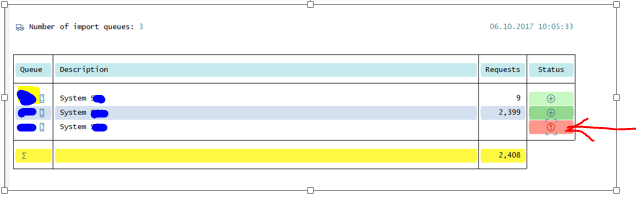
the error screen look likes the below screen

RFC communications error with system/destination


  • after check in STMS T-code, got to know that this is problem with quality server(in my case).                 


  • check the RFC connection once.                                                                                                    


  • ping the target system ip address once. here it is conformed that target server is down.

  • tried to access the server at os level.                                                                                              


  • after approaching system admin, it changed the status as below.  


issue resolved.

Thursday, 1 June 2017

creating user group

1. enter Transaction code "SUGR" in the command box and press enter.

2.enter the name of the user group .and click on CREATE USER GROUP BUTTON.

3.enter the description of user group in the text field.

4.ADD users to the group under USER ASSIGNMENT>

5.click on save, A message confirms that the new user group has been setup.


                                                             or

you can also assign user groups in  the user maintenance ( SU01) via the groups tab.